
MovieBox vs MovieBox Pro: Are They the Same App?
A shared name does not establish that MovieBox and MovieBox Pro are the same app. Our Movie Box Mod APK page describes a selected Android build. A MovieBoxPro website describes an account-based viewing service with free and VIP options. Separately, apps with similar names in Google Play and Apple’s App Store describe movie discovery and trailers. We have no verified developer, package or signing evidence linking our selected APK to the service or those store listings.
That distinction matters before you expect a familiar library, an account or a paid plan to work in an app you have just found. Start with the exact product and its source, then compare what that product actually says it does.
Why the Names Cause Confusion
MovieBox, Movie Box, MovieBox Pro and Movie Box Pro appear on different websites and app listings. The words Pro and Premium can describe a service tier, a product name or a modified file’s marketing label. They are not a universal version sequence. A matching icon or search-result title is also too weak to establish shared ownership.
The useful next step is to compare the named products rather than treating every search result as one app.
Three Product Identities to Keep Separate
The Android APK on this website
The Android phone package described here is labeled version 4.0.03.0930.03 and Premium Unlocked. It is distributed as an APK file rather than through the normal Play Store install flow. Those are project records for this selected file, not proof that every advertised feature works on every device. The package name, developer and signing identity have not been established in our approved records.
The MovieBoxPro service described in its FAQ
The MovieBoxPro FAQ describes Google-account login, saved viewing history and separate free/VIP offerings. It also refers readers to movieboxpro.app. These are the service’s published claims, not features established for the modified APK on our website. We did not test a current account, playback session or download, and the FAQ does not identify a developer or signing certificate linking the two products.
Movie-discovery apps in official stores
A Google Play listing titled Movie Box Pro names JAZSTUDIO and describes a discovery app for title information, ratings and favorites. Its own description says it does not stream or download movies. On Apple’s App Store, Movies Box Pro names MOVIE BOX PRO LLC and describes trailers and a watchlist; a different MovieBox Pro listing names Taha Mirza. The different listing IDs and named sellers show why an app-store search cannot identify one universal “MovieBox Pro.” They do not establish a relationship to our APK or the MovieBoxPro FAQ service.
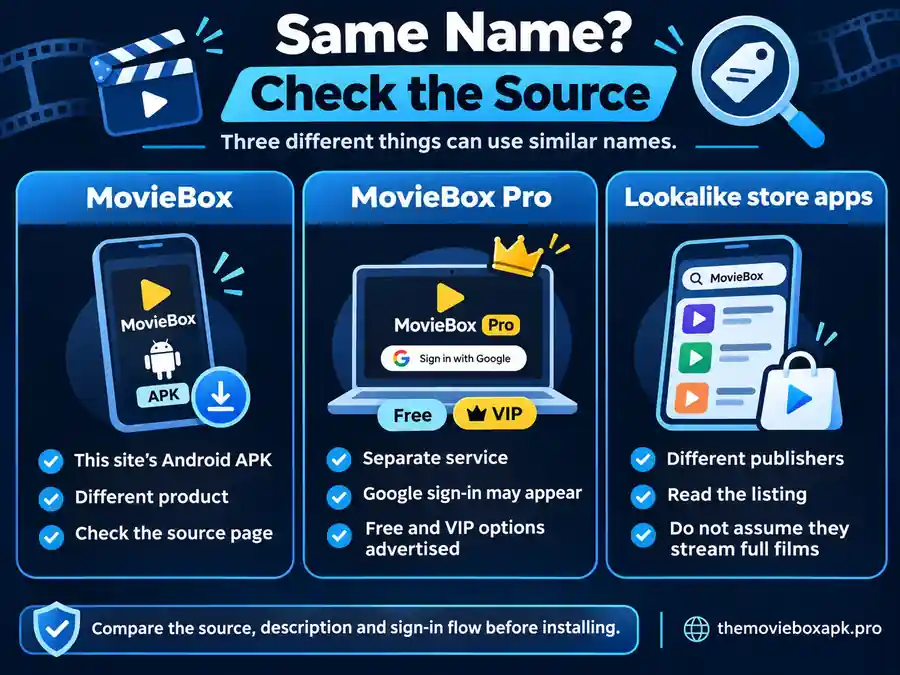
MovieBox vs MovieBox Pro: Main Differences
This table compares the selected APK with one named MovieBoxPro service and examples of store-listed discovery apps. “Unknown” means the available records do not establish the point; it does not mean a feature is absent.
| Attribute | Android APK on this site | MovieBoxPro FAQ service | Store discovery examples |
|---|---|---|---|
| Identity and operator | Selected modified Android file; developer and package ID unknown in approved records. | Website calls itself MovieBoxPro; operator and software signing identity not established here. | Google Play: JAZSTUDIO. App Store examples: MOVIE BOX PRO LLC and Taha Mirza, each under a separate listing. |
| Distribution | APK file provided through this website’s approved route. | FAQ refers to a website, sign-in and app versions; exact current installer identity not verified here. | Separate Google Play and App Store listings with their own app IDs. |
| Main purpose | Site describes browsing and watching available video content. | FAQ discusses video resources, playback, favorites and viewing history. | Listings emphasize movie information, search, trailers and saved lists. |
| Accounts and invitations | Account or invitation requirement for this exact build is unknown. | FAQ describes Google-account login and an invitation-code system; it does not say every user always needs a code. | Account rules are listing-specific; a shared account is not established. |
| Free or premium | File is labeled Premium Unlocked; actual entitlements were not tested. | Advertises free access with ads and “360 only” quality; VIP lists more quality choices, no ads and TV app access. | Play example lists ads; the Taha Mirza Apple listing lists in-app purchases. These are not shown to be the FAQ’s VIP plan. |
| Platforms | Android phone/tablet; Android 8.0+ is the source-listed qualification. | FAQ discusses web, Android, iOS and TV options; current device support was not tested. | The cited listings are for Android or Apple devices as shown by their stores. |
| Movie downloads | The app may offer in-app saving where available; exact-build behavior may vary. | FAQ discusses downloaded viewing, but this comparison does not verify a current download workflow. | The cited Google Play app explicitly says it does not download movies. The Apple descriptions emphasize discovery and trailers. |
| How to identify it | Compare this site’s source and the displayed version; its package ID is not recorded in approved facts. | Check the exact FAQ domain, service account and any invitation or VIP prompt. | Check the store URL, listing ID, displayed publisher and discovery-focused description. |
App-store descriptions and service plans are their publishers’ statements, not our hands-on tests. Shared developer, account and subscription relationships remain unverified. For saving movies inside the Android app, see our offline-viewing guide.
How to Identify Which App You Have
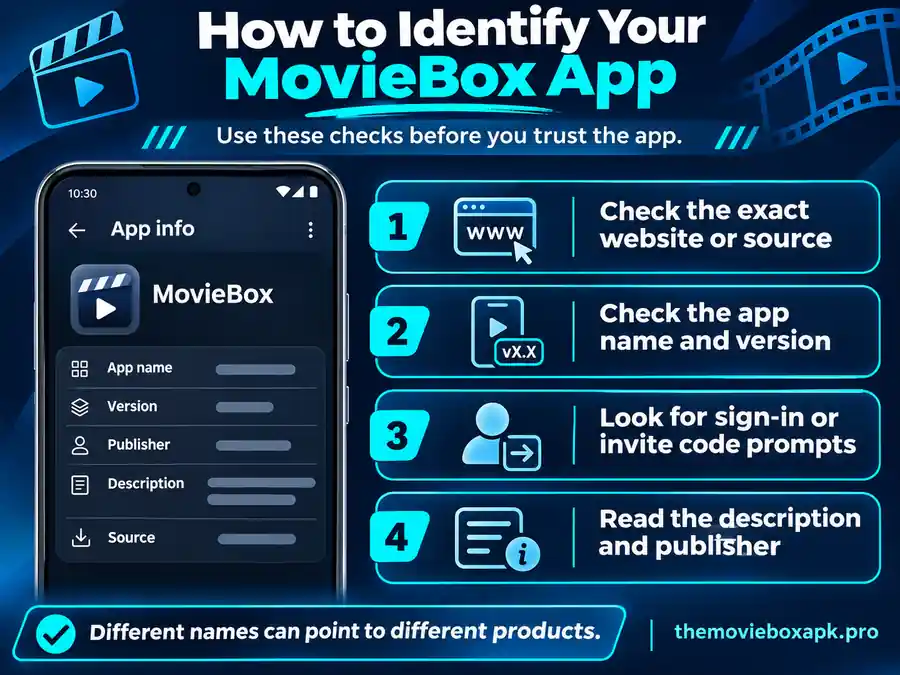
- Find the source. Note the exact website URL or app-store listing where you obtained it. On a store page, check the displayed publisher and listing ID. A search-result title alone cannot identify the product.
- Read the app details. On Android, open the installed app’s information page and note its displayed name and version. If an application ID or package name is readily shown, record it too. Our selected APK’s ID is not in the approved records, so there is no exact package match to offer.
- Compare its purpose. Read the app’s own description. A listing about title information and trailers serves a different task from a service FAQ about playback, viewing history and video resources.
- Check account prompts. A Google login, invitation request or VIP payment prompt belongs to the product showing it. The evidence does not establish that accounts or subscriptions transfer to our APK or a namesake store app.
If you have only an icon or the words “MovieBox Pro,” the product is still unidentified. Do not infer a developer, shared library or subscription from the name.
What “Pro,” “VIP” and “Premium Unlocked” Do and Do Not Mean
Pro appears in several product names. VIP is the tier described by the MovieBoxPro FAQ. Premium Unlocked is the label recorded for our selected modified APK. These words describe different claims in different contexts; none proves that one app is an upgrade of another, that accounts are interchangeable or that paid features carry across products.
The service advertises a free option with ads and “360 only” quality, while its VIP list names additional quality choices, no ads and Apple TV and Android TV app access. Those advertised benefits are not verified entitlements of our selected APK.
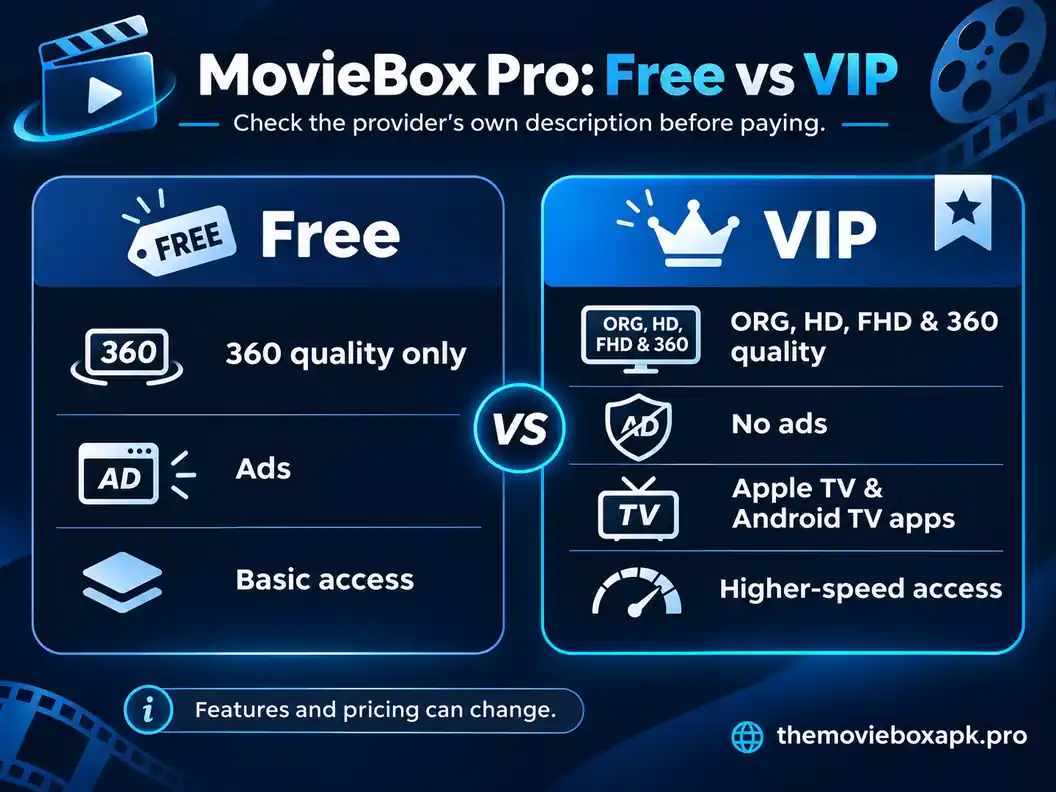
The same FAQ includes an invitation-code answer. If that service presents an invitation prompt, the code is part of its own access process; the FAQ does not establish that every user must enter one. An invitation, account or subscription there does not establish a shared identity with our APK or prove that access transfers between similarly named products.
Likewise, a Google Play discovery listing that says it does not stream cannot be treated as the FAQ’s viewing service just because both use “Movie Box Pro.” Compare the listing ID, publisher, source and stated purpose before following advice meant for a different product.
Common Identity Mistakes
- Assuming a familiar name means a familiar account. The available sources do not establish account sharing between these products.
- Treating a store discovery app as a streaming client. Read its own description; the cited Google Play example expressly limits itself to information and discovery.
- Using a version label as proof of origin. A version number or “Premium” tag does not identify a developer or signing certificate.
- Applying another product’s instructions. Our Android installation guide is for the APK described on this site, not the MovieBoxPro FAQ service or an App Store app.
MovieBox and MovieBox Pro FAQs
Is the MovieBox APK here made by the MovieBoxPro service?
That relationship has not been established. Our approved records do not identify the selected APK’s developer, package ID or signing certificate, and the service FAQ does not provide a matching identity for it.
Will a MovieBoxPro VIP account work in this APK?
There is no verified account link between the products. A VIP offer on the FAQ service should not be assumed to unlock the modified APK or a store-listed discovery app.
Does MovieBox Pro require an invitation code?
The MovieBoxPro service FAQ documents an invitation-code system, but it does not establish that every current user must enter a code. Check the access instructions shown by the exact service you are using; do not assume a code applies to our APK or a similarly named store app.
Is every app named Movie Box Pro a streaming app?
No. The cited Google Play listing calls itself a movie-information app and says it does not stream or download films. Other similarly named products describe different functions, so check the exact listing.
Does an App Store listing prove an iPhone version of this Android APK exists?
No. The Apple listings have their own sellers and app IDs. Their presence does not establish an iOS version of the Android file described here. Our iPhone guide explains the platform difference.
Check the Product, Then Choose the Guidance
If you are comparing MovieBox with MovieBox Pro, start with the product’s source, store ID or available package details. This site’s Android APK, the account-based service described by the MovieBoxPro FAQ, and the cited discovery apps have different documented descriptions. Their names alone do not establish shared ownership or features. Once you know which product you have, follow instructions written for that product instead of transferring a VIP claim, account step or download expectation from another one.